Augmented Reality in Manufacturing: Use Cases, Hardware and Costs
Proven augmented reality use cases on the factory floor, the hardware each one needs, what an AR build costs and how to tell a real application from a demo.
June 7, 20185 min read

Written by Konstantin Dolgan, Ph.D., NPDP
Founder & CEO, Product Development Engineer
Published June 7, 2018Updated September 2, 2026
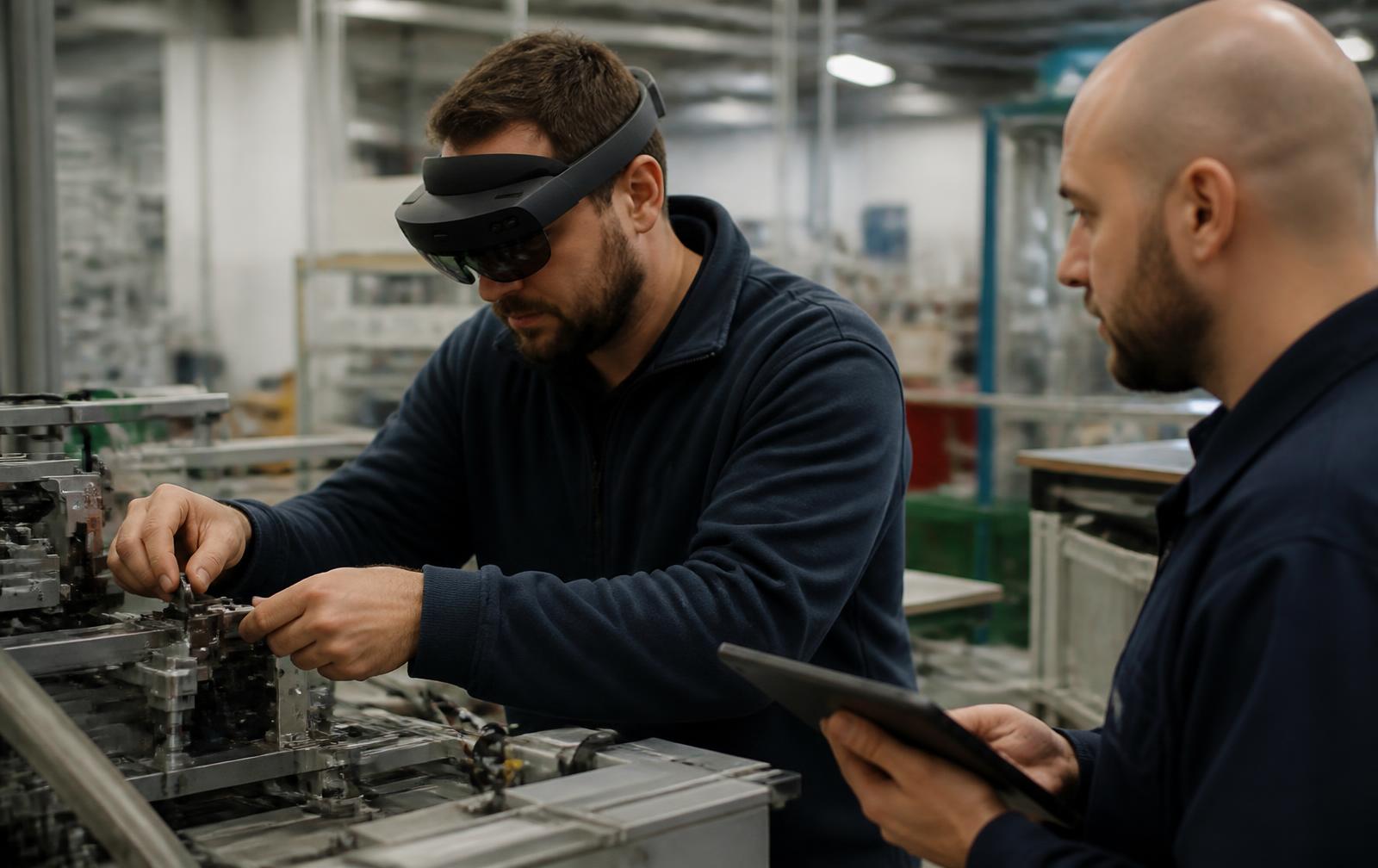
Augmented reality in manufacturing overlays digital information on the real world, and it earns its keep wherever a worker needs both hands and better instructions. The applications that survive past a pilot share one trait: they remove a step, an error or a trip. This guide covers the use cases that hold up in production, the hardware each needs, what an AR application costs to build and how to scope one without burning a year.

Applications that hold up in production
Application | What AR replaces | Typical gain | Hardware |
|---|---|---|---|
Assembly guidance | Paper work instructions | 15-25% faster cycle, fewer defects | Tablet or headset |
Field service repair | Phone calls to an expert | 20-35% shorter repair time | Headset with remote assist |
Retail preview | Showroom visit or guesswork | 10-25% higher conversion, fewer returns | Consumer phone |
Surgical and clinical overlay | Screen-glance workflow | Better instrument accuracy | Certified headset |
Training and simulation | Classroom and shadowing | Higher retention, less line downtime | Headset or tablet |
Design review | Physical mock-ups | Fewer prototype iterations | Headset or tablet |
Marker, markerless and spatial anchoring
- Marker-based - a printed target locks the overlay. Cheapest and most reliable on a fixed workstation.
- Markerless plane detection - phone-native ARKit and ARCore. Right for retail and consumer preview.
- Object and CAD tracking - matches the live view against the model. Required for assembly and service work.
- Spatial anchors - persistent placement across sessions and users. Needed for multi-operator facilities.
What an AR application costs
Scope | Description | Cost | Timeline |
|---|---|---|---|
Proof of concept | One workflow, one device, no integration | $15k-$45k | 4-8 weeks |
Pilot deployment | 3-10 workflows, content pipeline, 10-25 users | $60k-$180k | 3-6 months |
Production rollout | ERP/PLM integration, analytics, device management | $200k-$750k | 6-14 months |
Consumer AR feature | Phone-native try-on or preview in an existing app | $25k-$120k | 6-16 weeks |
Content per workflow | Authoring one guided procedure | $1.5k-$8k | 1-2 weeks |
Hardware in 2026
- Phones and tablets - zero hardware cost, best reach, worst for hands-free work.
- Enterprise headsets - $1,500-$4,000 per unit, hands-free, weight and battery still limit shift-long use.
- Smart glasses - light and cheap, but display area suits notifications and checklists, not overlays on parts.
- Projected AR - fixed projectors on a bench beat wearables for repetitive station work.
How to scope an AR project that survives
- Pick one workflow with a measurable cost - scrap rate, repair minutes, training weeks.
- Baseline that metric before you build anything.
- Solve the content pipeline first: if updating a procedure needs a developer, the system dies.
- Test on the floor, in real lighting and gloves, before choosing hardware.
- Plan device management, hygiene and battery swaps into the budget.
Frequently asked questions
What are the main applications of augmented reality?
The proven ones are assembly and maintenance guidance, remote field service, retail product preview, medical visualisation, workforce training and engineering design review. Each replaces a document, a phone call or a physical mock-up with an overlay on the real object.
How is AR different from VR and mixed reality?
AR adds information to the real world, VR replaces it entirely, and mixed reality lets digital objects interact with real geometry. Industrial work is almost always AR or mixed reality because the operator must still see the equipment.
How much does it cost to develop an AR application?
A single-workflow proof of concept runs $15,000-$45,000. A pilot with a content pipeline and a couple of dozen users lands at $60,000-$180,000, and a fully integrated rollout runs into the hundreds of thousands, with content authoring as the recurring cost.
Does augmented reality need special hardware?
No. Any recent phone or tablet runs ARKit or ARCore, which is enough for retail preview, inspection and design review. Headsets are only necessary when the task needs both hands.
Related reading: our product development services, rapid prototyping and validating a product idea.
Why AR pilots stall after the demo
The demo is easy. Sustaining AR content is what kills programmes. An assembly guidance experience is only useful while it matches the current revision of the product, and products change constantly. Teams that budget for the build and not for the content pipeline end up with an impressive video and an unused headset in a drawer.
Stall cause | What it looks like | Preventive measure |
|---|---|---|
No content owner | Overlay drifts from current revision | Named owner and a change trigger from PLM |
CAD not usable | Weeks of manual model prep per part | Automated decimation pipeline in the toolchain |
No baseline | Nobody can prove the gain | Measure the task before deployment |
Device management gap | Flat batteries, unpatched units, lost headsets | MDM enrolment and a charging routine |
Operator rejection | Headsets left on the bench | Involve operators in scripting; allow tablet fallback |
IT blockers | No wifi coverage or blocked cloud services | Site survey and security review before the pilot |
The content pipeline is the product
Treat AR content the way you treat work instructions: versioned, approved and regenerated automatically when the source changes. The cost of the first experience is visible; the cost of the fiftieth depends entirely on how much of the pipeline is automated.
- Pull geometry from the released CAD revision, not from a designer's local copy.
- Automate decimation and format conversion; manual model cleanup is the hidden recurring cost in every AR programme.
- Author steps as structured data (sequence, part, tool, torque) with the 3D overlay generated from it, so the same source feeds paper, tablet and headset.
- Bind each experience to a part number and revision, and flag it automatically when the revision supersedes.
- Keep a non-AR fallback for every procedure; production cannot stop because a device failed.
- Localise text once, in the structured source, rather than inside each scene.
Building an ROI case that finance accepts
AR earns its keep on repetitive, error-prone or expertise-scarce tasks. The arithmetic is straightforward once you have a baseline, and the baseline is the step most pilots skip.
Metric | How to baseline | Typical reported improvement | Where it fails to pay |
|---|---|---|---|
Assembly time per unit | Time 20 units under normal conditions | 15-30% on complex variants | Short, highly repetitive cycles |
First-pass yield | Defect rate over a month | Fewer omission and orientation errors | Defects caused by parts, not by people |
Onboarding time | Weeks to unsupervised competence | 30-50% reduction | Small, stable workforce |
Remote support travel | Trips and hours per quarter | Most routine visits avoided | Sites with no reliable connectivity |
Inspection time | Minutes per unit plus rework loop | Faster comparison against nominal | Inspection requiring metrology accuracy |
Express the case in the same units the plant already reports: minutes per unit, scrap percentage, weeks to competence. An ROI expressed in 'digital transformation' language does not survive the budget round.
Hardware trade-offs on a real shop floor
Device class | Best for | Real constraints | Cost per user |
|---|---|---|---|
Phone / tablet | Inspection, retail preview, occasional guidance | Occupies a hand, needs a mount | Existing hardware |
Tethered or waist-pack headset | Long hands-free assembly sessions | Cable management, comfort over a shift | $2k-$4k |
Standalone headset | Maintenance, remote support | Battery life, weight, PPE compatibility | $1.5k-$4k |
Assisted-reality glasses | Checklists, remote expert video | No spatial overlay; simple content only | $1k-$2.5k |
Projected AR | Fixed workcells, pick-to-light | Fixed installation, lighting sensitivity | $5k-$25k per cell |
Safety, ergonomics and IT constraints
- Check PPE compatibility first: safety glasses, hard hats and hearing protection defeat many headset designs.
- Limit continuous headset wear; plan sessions in blocks rather than full shifts, and let operators choose tablet mode.
- Assess visual occlusion near moving machinery; overlays must not obscure hazards or emergency stops.
- Survey wifi coverage in the actual aisles, including inside metal enclosures where devices commonly drop out.
- Decide the data path early: on-premise rendering versus cloud, and what leaves the site. CAD geometry is often export-controlled or confidential.
- Enrol devices in mobile device management with the same patching and access policy as any other endpoint.
A pilot design that produces a decision
Week | Activity | Output |
|---|---|---|
1 | Select one workflow with measurable cost; baseline it | Baseline times, defect rate, cost per event |
2-3 | Build the experience from released CAD and structured steps | Working experience on target hardware |
4 | Train 4-6 operators; run in parallel with the existing method | Comparative task data |
5 | Measure, gather operator feedback, fix the top three issues | Revised experience |
6 | Report against the baseline; decide scale, adapt or stop | Go/no-go with numbers |
More questions teams ask
Augmented reality in manufacturing: where it pays back
Augmented reality in manufacturing earns its keep in three narrow places: guided assembly of high-mix low-volume builds, remote expert support for line-down events, and design review of large assemblies before steel is cut. Everywhere else it competes with a printed work instruction and usually loses.
Scope a pilot around one measurable number, such as first-pass yield on a specific station or mean time to repair, and run it for a full quarter before buying hardware for the plant.
Use case | Metric to track | Realistic payback |
|---|---|---|
Guided assembly | First-pass yield, cycle time | 1-2 quarters on complex builds |
Remote expert support | Mean time to repair, travel cost | Immediate on multi-site operations |
Design review at scale | Late engineering change count | One programme cycle |
Training new operators | Time to competence | 2-3 onboarding cohorts |
Work with LA NPDT: if you are moving from here to execution, start with our product development consulting or talk to us about end-to-end product development.
Frequently asked questions
Should we start with a headset or a tablet?
Start with a tablet unless the task genuinely requires both hands. Tablets remove hardware cost, PPE conflicts and device management from the pilot, which means the pilot tests the content and the workflow rather than the novelty of the device.
How much content maintenance should we budget annually?
Plan on 20 to 30 percent of the original build cost per year for content that tracks an actively changing product, less for stable legacy equipment. Automating CAD preparation is what moves that number down.
Does AR work for low-volume, high-mix production?
That is where it pays best. High-mix work is exactly where operators cannot memorise the sequence and where paper instructions are consulted most, so guidance overlays remove the most time and error.
What is the most common technical failure in production AR?
Tracking loss: the overlay drifting on shiny, featureless or repetitive surfaces. Printed markers or fixed spatial anchors solve it reliably; pure markerless tracking on a metal workcell rarely survives a full shift.
Services related to this guide
- Product design servicesIndustrial design and CAD taken all the way to manufacturable files.
- Rapid prototypingWorking prototypes in days, from 3D printing to vacuum casting.
- Electronic design servicesSchematic, PCB layout, firmware and bring-up, through to production handoff.
- Product development examplesReal projects we designed, prototyped and shipped.