Robots in Manufacturing: Types, Costs and When Automation Pays
Robots in manufacturing pay off when volume, repeatability and labor cost line up. Here are the robot types, real installed costs and how to run the payback math.
December 22, 20197 min read

Written by Ashok Chintagunta, MS Computer Science, Louisiana Tech University
CTO & Software Engineer, AI and Automation
Published December 22, 2019Updated September 3, 2026
Robots in manufacturing pay for themselves when a task is repetitive, high-volume, dimensionally consistent and either dangerous or hard to staff. They rarely pay when parts arrive in random orientations, changeovers are constant, or volumes are low. The robot is usually the cheap part of an automation project: fixturing, tooling, integration and safety are where the budget goes.
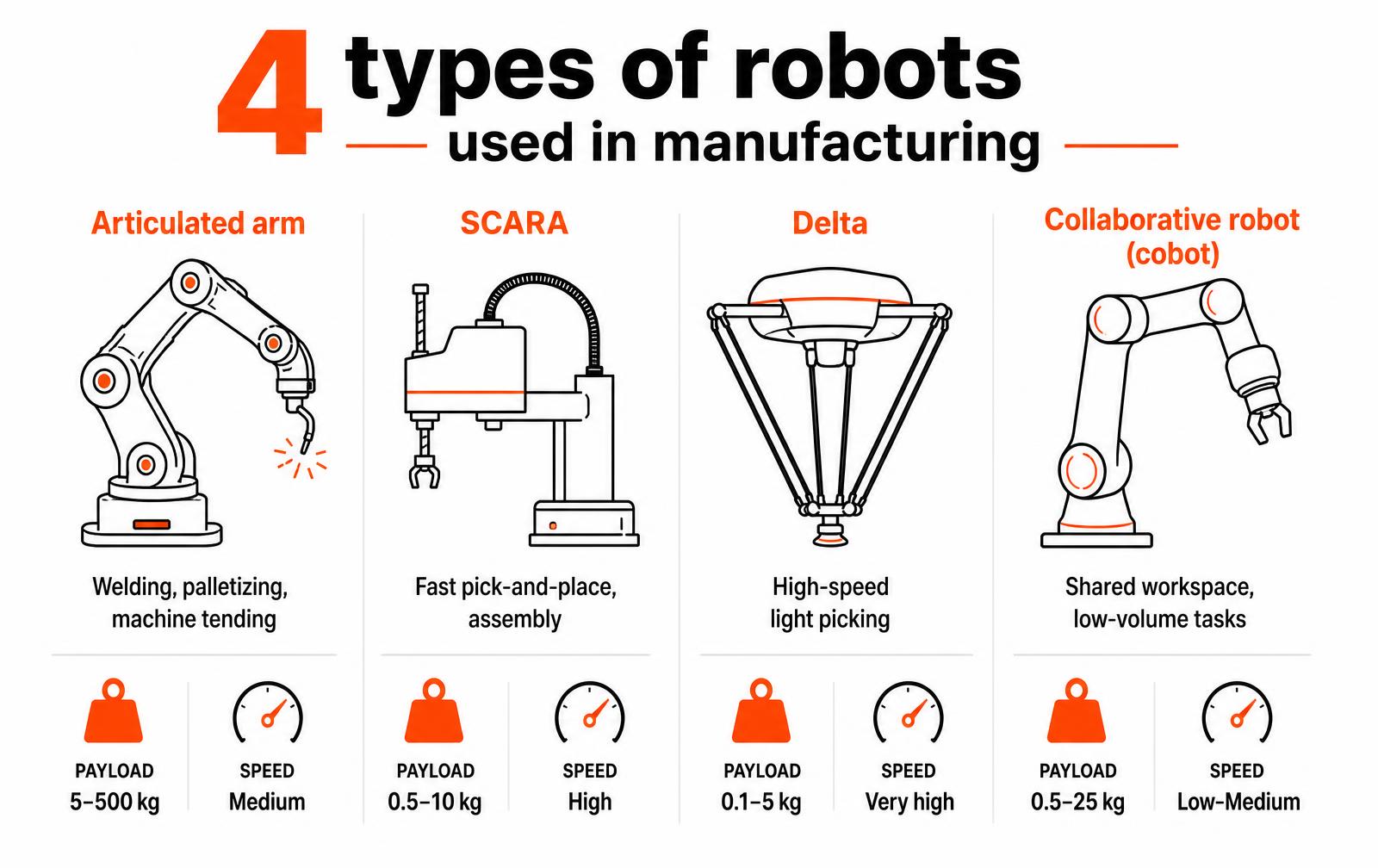
The main types of manufacturing robots
Type | Typical payload | Strength | Common tasks |
|---|---|---|---|
Articulated arm (6-axis) | 5-500 kg | Reach and orientation freedom | Welding, palletizing, machine tending |
SCARA | 0.5-10 kg | Speed in a horizontal plane | Assembly, screwdriving, pick-and-place |
Delta | 0.1-5 kg | Extreme speed on light parts | Food, packaging, high-rate picking |
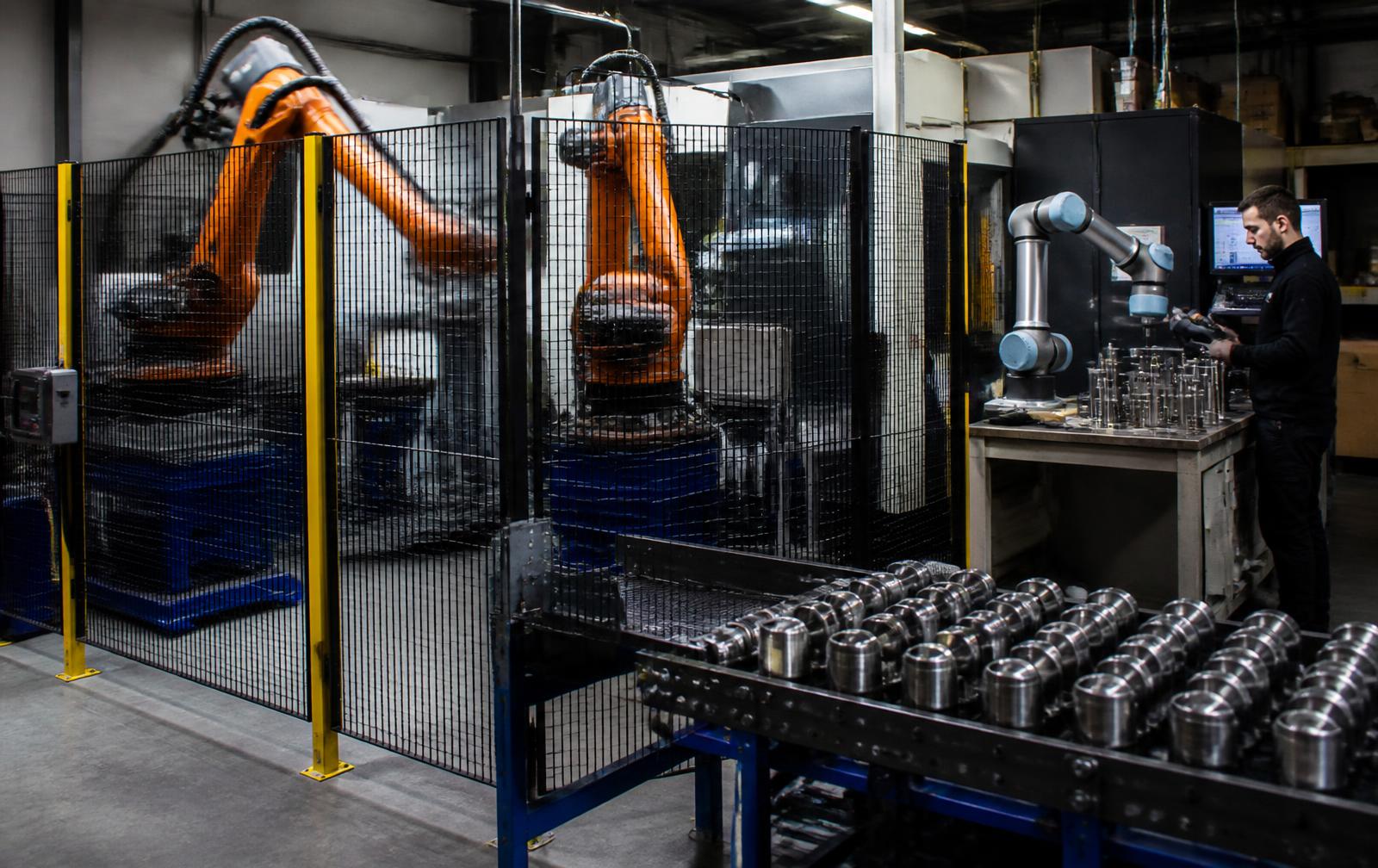
Collaborative (cobot) | 0.5-25 kg | Works beside people, fast to redeploy | Low-volume tending, inspection, kitting |
Cartesian / gantry | 10-1000+ kg | Large rectangular work envelope | CNC loading, dispensing, additive |
AMR / AGV | Varies | Material movement between cells | Line-side delivery, warehouse transport |
What a robot cell actually costs
Line item | Typical share of project | Notes |
|---|---|---|
Robot arm and controller | 25-40% | $25k-$100k depending on payload and reach |
End effector / gripper | 5-15% | Custom tooling for odd geometry costs more than the gripper |
Fixturing and part presentation | 15-30% | The most underestimated line by far |
Vision and sensing | 5-20% | Only add it when part position genuinely varies |
Integration and programming | 15-30% | Includes commissioning and operator training |
Safety (guarding, scanners, risk assessment) | 5-15% | Required, not optional: budget it up front |
A simple cobot machine-tending cell lands around $60,000-$120,000 installed. A guarded 6-axis welding or palletizing cell is commonly $150,000-$400,000. Full lines run into millions. Robots-as-a-service and leasing shift this to a monthly cost, which changes the payback conversation for smaller shops.
The payback math
Payback (years) = installed cost / annual savings. Annual savings is labor hours displaced times fully loaded rate, plus scrap reduction, plus throughput gained on a constrained line, minus maintenance and programming time. A $100,000 cell replacing 1.5 shifts of a $22/hour loaded operator saves roughly $65,000 a year: about an 18-month payback. Most manufacturers approve under two years and hesitate past three.
Which tasks to automate first
- Machine tending. Load and unload CNC or molding machines: predictable, well bounded, easy ROI.
- Palletizing. Repetitive lifting that causes injuries and turnover.
- Welding. Consistent bead quality, and a direct answer to the welder shortage.
- Dispensing and sealing. Adhesive and gasket paths that humans apply inconsistently.
- Inspection. Vision-based dimensional and cosmetic checks at full line rate.
- Packaging and kitting. High-rate, low-mass picking where delta robots excel.
Where automation usually fails
- Automating a bad process instead of fixing it first: a robot makes a broken process fail faster.
- Parts that arrive in unrepeatable positions with no fixturing budget to fix it.
- High-mix, low-volume work with changeovers that take longer than the run.
- No one on staff who can adjust the program, so the cell stops the first time a part changes.
- Products never designed for automated assembly: no flat datum, no chamfers, fasteners in blind locations.
That last point is a design problem, not an automation problem. Parts intended for robotic assembly need consistent grip features, self-locating geometry and top-down insertion. Our DFM process and engineering team address it while the design is still cheap to change.
Safety and standards you cannot skip
- ISO 10218-1 and -2: safety requirements for industrial robots and their integration.
- ISO/TS 15066: power and force limits for collaborative applications.
- ANSI/RIA R15.06: the US adoption covering robot system safety.
- Risk assessment: required for every cell, and it governs guarding, light curtains, scanners and e-stop architecture.
- Note: a cobot is not automatically safe. Safety depends on the application, the gripper and the part it is carrying.
What an automation project looks like month by month
A robot cell is a project, not a purchase. The arm arrives in weeks; the tooling, programming, safety validation and operator training are what fill the calendar. Plants that plan for the full sequence hit their payback estimate; plants that plan only for the hardware miss it by a year.
Phase | Duration | What happens | Who owns it |
|---|---|---|---|
Process definition | 2-4 weeks | Cycle time study, part presentation, quality criteria | Plant engineering |
Concept and simulation | 2-4 weeks | Reach study, cycle simulation, ROI model | Integrator |
End-of-arm tooling design | 4-8 weeks | Grippers, sensors, change-over fixtures | Integrator |
Build and factory acceptance | 6-12 weeks | Cell assembly, programming, run-off at integrator | Integrator |
Install and commissioning | 2-4 weeks | Site install, safety validation, tuning | Joint |
Operator training and ramp | 2-6 weeks | Training, first-shift support, yield stabilization | Plant |
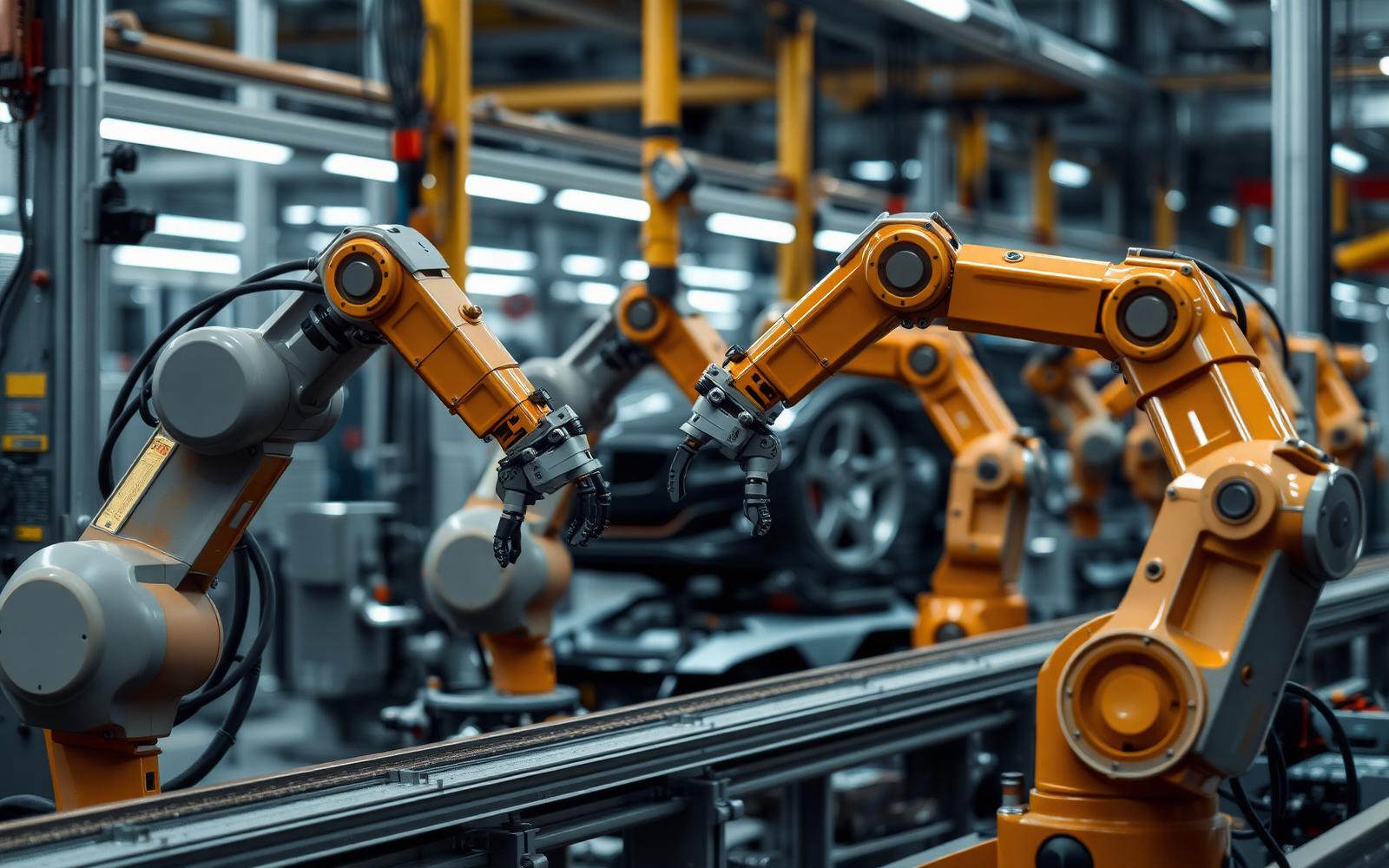
Design the part for the robot, not the robot for the part
The cheapest automation improvement is usually a part change. Features that a human compensates for without thinking - a slightly warped edge, an ambiguous orientation, a snap fit that needs a wiggle - become cell downtime. A short design pass before the integrator quotes the cell often removes a whole vision system from the budget.
- Add a positive orientation feature so the part can only be presented one way.
- Give the gripper a flat, rigid, consistent grip surface away from cosmetic areas.
- Replace fasteners with snap fits or self-aligning features where the insertion force is repeatable.
- Tighten tolerance only on the datums that the fixture uses, and relax the rest to control part cost.
- Avoid flexible cables, films and foams in automated steps; they are the leading cause of cell stoppages.
- Standardize part presentation - trays, tapes or magazines - instead of bulk bins wherever volume allows.
Automation readiness checklist
- The manual process is stable and documented, with a known cycle time and scrap rate.
- Annual volume and product life justify the tooling; a product ending in eighteen months rarely does.
- Part variation has been measured, not assumed, across suppliers and lots.
- Quality acceptance criteria are objective and machine-checkable.
- Upstream and downstream stations can feed and clear the cell at the target rate.
- Maintenance staff have been identified and budgeted for training before the cell arrives.
- A written fallback plan exists for running the process manually when the cell is down.
Key takeaways
- Hardware is a minority of an automation budget; tooling, integration and training dominate.
- Fix and stabilize the process before automating it - a robot amplifies whatever it is given.
- Small design changes to the part often eliminate large costs in the cell.
- Approve projects on a payback under two years and confirm the labor and scrap savings with measured data.
Integration work is the hidden half of a robot project
The robot arm is rarely the expensive part of automation. Fixtures, part presentation, vision, safety guarding and the programming to handle exceptions typically cost more than the machine itself. Budgeting for the arm alone is the single most common reason robot projects overrun and then stall half-installed.
Where the money goes in a robot cell
Element | Share of project cost | Notes |
|---|---|---|
Robot arm and controller | 25-40% | The quoted headline number |
End effector / gripper | 5-15% | Custom grippers drive this up |
Part presentation and fixturing | 15-25% | Feeders and nests are often underestimated |
Vision and sensing | 5-20% | Needed when parts are not perfectly located |
Safety guarding and assessment | 5-15% | Required, not optional |
Integration, programming, commissioning | 15-30% | Includes exception handling |
Part presentation deserves special attention. Robots are excellent at repeating a motion and poor at finding a randomly placed part, so money spent making parts arrive in a known position usually reduces total cost more than money spent on a more capable arm.
Before approving an automation budget
- Quote the whole cell, not the arm.
- Decide how parts will be presented before selecting the robot.
- Include a risk assessment and guarding in the initial budget.
- Budget commissioning time on the real production floor, not a demo bay.
- Define what the cell does when something goes wrong, and who resets it.
Key takeaways
- The arm is typically under half of a robot cell's cost.
- Solve part presentation first; it decides how hard automation will be.
- Budget safety assessment and commissioning from the start.
Frequently asked questions
What are robots used for in manufacturing?
The most common applications are machine tending, welding, palletizing, pick-and-place assembly, adhesive dispensing, painting and vision-based inspection. All of them share the same profile: repetitive, high-volume tasks with parts presented in a consistent position.
How much does an industrial robot cost?
The arm and controller typically run $25,000-$100,000, but an installed cell costs two to four times that once tooling, fixturing, safety guarding, integration and training are included. Simple cobot cells start near $60,000; guarded welding or palletizing cells commonly reach $150,000-$400,000.
What is the difference between a cobot and an industrial robot?
Cobots are force- and speed-limited so they can share a workspace with people, and they are quick to reprogram and redeploy. Traditional industrial robots are faster and carry more payload but need fixed guarding. Cobots suit low-volume, high-mix work; industrial robots suit high-rate production.
Do robots in manufacturing eliminate jobs?
In most small and mid-size plants automation is adopted because roles cannot be filled, not to cut headcount. The task mix shifts: fewer hours on repetitive loading and lifting, more on setup, programming, maintenance and quality. Budget for training the operators who will run the cell.
What payback period justifies automation?
Most manufacturers approve projects with a payback under two years and hesitate beyond three. Include scrap reduction, throughput on constrained lines and reduced injury risk in the calculation: labor savings alone often understate the return.
from the Archive: Tech Talk S02 E02
Evaluating automation for your production line?
Safety, risk assessment and what a fence really costs
Automation budgets are usually wrong because they price the robot and not the cell.
A risk assessment under ISO 12100 and ISO 10218, with the collaborative provisions of ISO/TS 15066 where a human shares the space, drives the guarding, the light curtains, the safety-rated controller, the e-stop architecture and the validation that follows.
On a typical machine-tending cell, safety hardware and integration engineering land between 25 and 45 percent of total project cost.
A collaborative robot can reduce guarding, but only after a force-and-pressure measurement study proves the contact limits are met at the actual speed and payload: "it is a cobot" is not a risk assessment.
Cell element | Typical share of project cost | Notes |
|---|---|---|
Robot arm and controller | 25-40% | List price is the most visible and least decisive number |
End of arm tooling | 8-20% | Gripper design drives cycle time and changeover |
Safety guarding and sensing | 15-30% | Fencing, light curtains, safety PLC, validation |
Integration engineering | 15-25% | Programming, PLC interface, commissioning |
Part presentation and conveyance | 10-20% | Feeders and fixtures; the usual schedule risk |
Training and documentation | 3-8% | Skipping this is the most common false economy |
payback Math That Survives a Cfo Review
A defensible automation case is built on three numbers: fully loaded labor cost displaced, throughput gained at the constraint, and scrap or rework avoided. Displacing one operator on two shifts at a fully loaded $52,000 each returns about $104,000 a year.
A $220,000 cell against that alone pays back in roughly 25 months, which most manufacturers will approve. The case gets much stronger when the cell removes a bottleneck: throughput gained at the constraint is worth contribution margin, not labor rate.
It gets much weaker if the cell is placed on a non-constraint, which is the single most common automation mistake: you have then bought inventory, not capacity.
- Automate the constraint first, or the gain is invisible on the income statement.
- Count avoided scrap and rework, which is often larger than the labor line in precision work.
- Include ramp: assume 8-16 weeks between power-on and stable rate, and budget the shortfall.
- Model uptime honestly at 85-92 percent for a mature cell, not the 98 percent in the proposal.
- Assign an internal owner who can program the cell; integrator dependency is a recurring cost.
Designing parts so a robot can actually handle them
Most failed automation projects fail at part presentation, not at the arm. Parts that nest, tangle, flex or arrive in a tote in random orientation force expensive vision, custom feeders or a human to keep loading a fixture, which erases the business case.
Design for automation follows a short list of rules: give the gripper a flat, rigid, consistent surface. Add an asymmetric feature so orientation is machine-detectable. Avoid finishes that vary enough to defeat vision thresholds. And specify a tolerance on the datum the fixture uses rather than on a cosmetic edge.
Changing a part for two dollars of tooling is routinely cheaper than solving the same problem with a thirty-thousand-dollar vision system.
Work with LA NPDT: if you are moving from here to execution, start with our Stage 1 (Review/Analysis + Plan) or talk to us about prior art search.
Filed under:Tech Talk Podcast
Services related to this guide
- Product design servicesIndustrial design and CAD taken all the way to manufacturable files.
- Rapid prototypingWorking prototypes in days, from 3D printing to vacuum casting.
- Electronic design servicesSchematic, PCB layout, firmware and bring-up, through to production handoff.
- Product development examplesReal projects we designed, prototyped and shipped.