Tool-Changer 3D Printers in 2026: Should Your Team Print Multi-Material Prototypes In-House?
Process economics
For founders and product teams deciding whether to buy a multi-material desktop printer or keep sending prototype parts out. What launched in early November 2026, what independent testing says, and a decision table for looks-like, feels-like and works-like prototypes.
November 9, 20265 min read

Written by Konstantin Dolgan, Ph.D., NPDP
Founder & CEO, Product Development Engineer
Published November 9, 2026
Short answer
In the first week of November 2026, desktop multi-material 3D printing took a visible step. On 3 November 2026 Bambu Lab released the H3C, a nine-tool tool-changer 3D printer at US $2,499, and Creality opened US sales of its four-nozzle K3 starting at $849 (Bambu Lab; Creality).
For founders and product teams, the useful question is not which printer is best. It is whether owning one shortens the path from concept to a prototype that answers a real question, or whether your parts still belong at a print service, a CNC shop or a urethane caster.
Our short answer: an in-house tool changer pays off when you iterate often on looks-like and feels-like models, rigid plus soft combinations, and fixtures. It does not replace engineering-grade processes, molded-part validation or production DFM.
What launched in early November 2026
Bambu Lab H3C: nine tools, soft TPU, and a prime tower that still matters
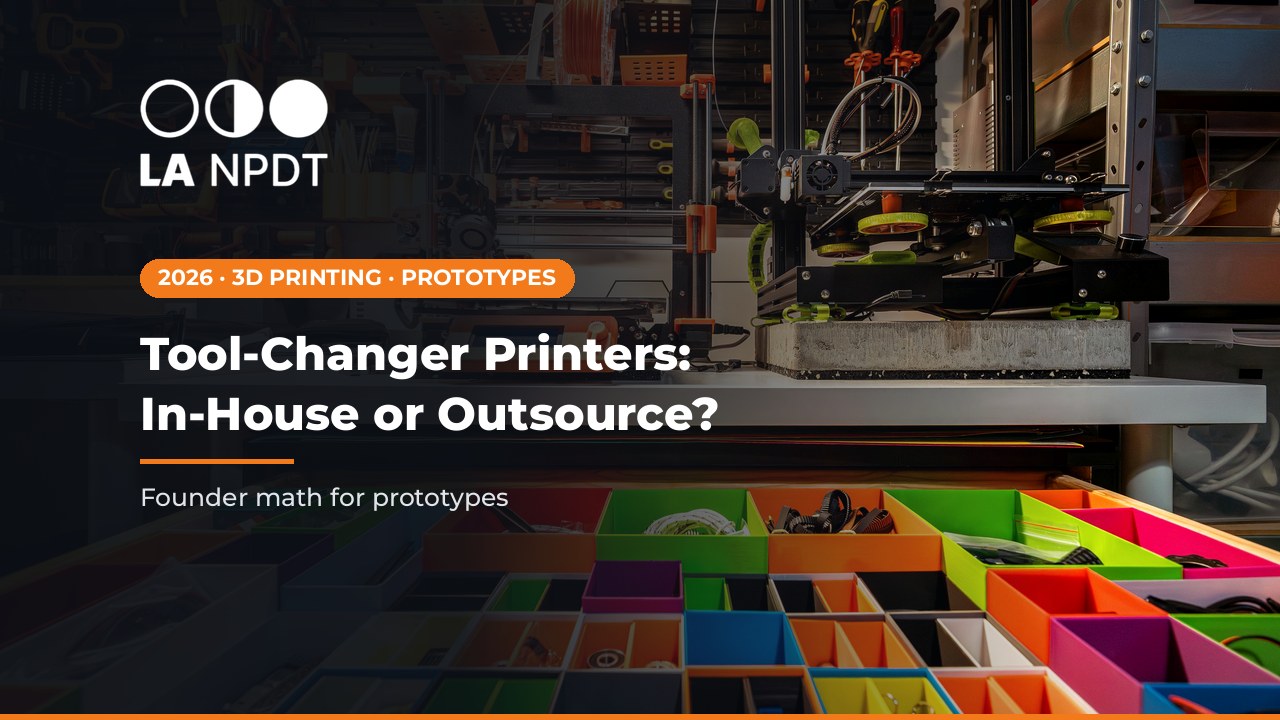
The H3C is built around nine tools that stay loaded and preheated.
Bambu Lab says the printer reads upcoming G-code and heats the next nozzle before the change, so a material switch takes about 6 seconds, and that a dedicated 2.85 mm path lets it print TPU as soft as 75A for flexible hinges, wearables and soft-robotic parts (Bambu Lab).
CNC Kitchen's long test confirms the speed of each change and printed TPU combined with PLA and PETG, but also documents the trade-offs a product team will feel: roughly 50 mg of purge per change, every spool change starting with an unload on the printer, and only about a 10% real-print speed gain over earlier Bambu Lab machines (CNC Kitchen).
Creality K3: a lower entry price, with vendor numbers to verify
Creality's K3 moved from pre-order to US availability on 3 November 2026, starting at $849. It keeps four filaments ready in independent channels and switches nozzles in about 5 seconds. The up to 80% time and up to 85% waste reductions come from Creality's internal testing against single-nozzle multi-color workflows, so run your own part before you plan around them (Creality).
Mixed nozzles and layer heights in one print
Bambu Lab's 9 November 2026 post explains a slicing mode where a fine nozzle prints thin layers on a detailed region while a larger nozzle prints thicker layers on the bulk of the part, meeting at shared heights. You mark the regions in the slicer and it re-plans the tool changes when you re-slice. For prototypes, that is useful for small text, snap features or textured grips on an otherwise large housing (Bambu Lab).
Silicone printing moves toward longer runs
Lynxter's OVERTIME targets the curing-time limit of two-part silicone extrusion on its S300X LIQ21 and LIQ11 printers. The company names sealing components, protective and masking tooling, and medical devices as main applications. Pricing and general availability were not disclosed (3D Printing Industry). If your product needs a soft seal or skin-contact part, see our notes on medical and food-grade silicone before you choose a process.
In-house or send out: a decision table
What the prototype must prove | Good fit for an in-house multi-material printer | Send it out (print service, CNC, casting, molding) |
|---|---|---|
Looks-like model with colors, labels or soft grips | Fast iterations on shape, color blocking and grip placement | Paint-grade finish, exact color and texture match to production, or investor-demo polish |
Rigid plus soft combination (straps, bumpers, gaskets, hinges) | Feel, fit and ergonomics checks with TPU next to PLA or PETG | Bond strength, long-term durometer, sealing or any claim that must match an overmolded or silicone production part |
Mechanisms with tight fits | Early fit checks and quick geometry changes | Tighter tolerances, isotropic strength or real production materials (SLS or MJF nylon, SLA, CNC) |
Electronics enclosures | Board fit, button travel, light pipes and cable routing | Heat, flame, impact or ingress requirements that depend on the production material |
Medical or skin-contact parts | Form and handling studies only | Biocompatible materials and a documented process; see medical device prototyping |
Test fixtures and jigs | Strong fit: cheap, fast and easy to revise; see test fixture design | Fixtures that need metal wear surfaces or certified accuracy |
Small pilot batch | Only if the printed part is the real product | Usually soft tooling, casting or low-volume molding |
What owning one really costs
- The machine price is the smallest line. Budget operator time for slicing, painting regions, spool changes and post-processing.
- Purge waste is lower than older multi-color systems but not zero, and it grows with every material change in a part (CNC Kitchen).
- Material handling: engineering polymers and TPU need dry storage, and the H3C's built-in dryer holds two spools (CNC Kitchen).
- Failed or paused prints, nozzle and tool maintenance, and floor space (the H3C is tall enough that Bambu Lab sells a station for it).
- Engineering review time. A multi-material print that feels right can still hide a draft, wall or bonding problem that shows up in molding.
- The cost of the wrong answer. A printed TPU and PLA part does not prove how an overmolded part will bond, age or seal. Decide up front what each print is allowed to prove.
Founder checklist before you buy or print
- Write the one question this prototype must answer: looks-like, feels-like, fits-like or works-like.
- Match each material pair to production intent, and record which properties the print only approximates.
- Design for the process you expect to use later: draft, wall thickness, shutoffs and fastener bosses. Our design for manufacturability guide covers the basics.
- Keep CAD as the source of truth. Slicer regions and painted materials should mirror the CAD, not replace it.
- Decide now which parts you will send out anyway (clear SLA parts, SLS nylon, CNC aluminum) so the printer is not asked to do everything.
- Plan the first physical test and its pass or fail criteria before you print. See stages of product testing.
- Run your own benchmark part before trusting any vendor's time or waste numbers.
For deeper design rules on graded and combined materials, see multi-material 3D printing: costs and design rules. If you would rather not own the hardware, our 3D print on demand service runs every major process with an engineer reviewing the files.
Where this fits in turning a concept into a product
We sort products into four complexity classes. Class A is a single simple part, like a plastic or rubber kitchen utensil. Class B has one mechanism or simple electronics.
Class C has multiple mechanisms or medium electronics. Class D is a complex product with multiple subsystems. On Class A and Class B work, a multi-material desktop print can produce a convincing looks-like and feels-like model quickly.
On Class C and Class D work, printed parts are one input among many, next to electronics, firmware and testing. See costs by complexity for how we classify scope and typical costs.
If you want a plan before you buy equipment or order parts, our Stage 1: Review/Analysis + Plan is a fixed $800 single payment.
Frequently asked questions
Is a $2,499 tool-changer printer worth it for a hardware startup in 2026?
It depends on how often you iterate and how many materials each part needs. If your team revises looks-like or feels-like models every week, or prints many fixtures, owning one can pay off. If you need a few high-fidelity parts per month, a print service or engineering partner is often simpler.
Do tool-changer printers eliminate purge waste?
No. CNC Kitchen measured about 50 mg of filament to the prime tower per tool change on the H3C, and Tom's Hardware notes the printer reduces waste but does not eliminate it (CNC Kitchen; Tom's Hardware).
Can a TPU and PLA print stand in for an overmolded production part?
For feel, fit and ergonomics, often yes. For bond strength, sealing, long-term durometer or drop performance, no. Plan cast, silicone or molded samples before you make those claims.
Are Creality's 80% faster and 85% less waste numbers proven?
They come from Creality's internal testing against single-nozzle multi-color workflows (Creality). Treat them as vendor claims and benchmark your own part.
Should a medical device startup print skin-contact prototypes in-house?
Use in-house prints for form and handling studies. Parts meant for human use need suitable materials and a documented process. See medical device prototyping.
What should I bring to a consult about printing prototypes?
Bring your CAD or STEP files, the materials you have in mind, the question the prototype must answer, and the quantity you need. We will tell you what makes sense to print in-house and what to send out. Book via Calendly.
Deciding what to print in-house and what to send out?
Talk with an engineer about materials, processes and the first physical test before you buy equipment or place a print order. We sort work into four complexity classes (A to D) with typical costs on our homepage costs-by-complexity section. Stage 1: Review/Analysis + Plan is a fixed $800 single payment. Book a free 20-min call or call +1 318-200-0526.
Sources
- Bambu Lab, "Tool changer. Game changer. Bambu Lab presents H3C, the defining new generation of 3D printers," PR Newswire, 3 November 2026. Prnewswire: tool changer game changer bambu lab presents h3c the defining new generation of 3d printers
- CNC Kitchen, "Bambu Lab H3C Review: Finally the Toolchanger We Wanted," 3 November 2026. Cnckitchen: bambu lab h3c review
- Tom's Hardware, "Bambu Lab H3C 3D printer review: A nine-tool monster." Tomshardware: bambu lab h3c 3d printer review
- Creality, "Creality K3 Now Available at $849, Making Multi-Color 3D Printing More Practical," PR Newswire, 3 November 2026. Prnewswire: creality k3 now available at 849 making multi color 3d printing more practical
- Bambu Lab, "The 'Impossible' Slice: how Bambu Lab H3C made mixed nozzles work on different layer heights," 9 November 2026. Bambulab: the impossible slice how bambu lab h3c made mixed nozzles work on different layer heights
- 3D Printing Industry, "Lynxter to debut OVERTIME at Formnext 2026, multiplying silicone print autonomy by 36," 9 November 2026. 3dprintingindustry: lynxter to debut overtime at formnext multiplying silicone print autonomy by 36
Services related to this guide
- Best prototyping companiesDevelopment firms, instant-quote bureaus and local shops: who fits which job.
- Free prototype cost calculatorFive to eight questions, an instant cost range for a first prototype.
- Prototype development companiesWhich firms take a sketch to a working prototype, and which only fabricate parts.
- Rapid prototypingWorking prototypes in days, from 3D printing to vacuum casting.