The Ultimate Guide to Concept Design
Concept design turns an idea into sketches, evaluated directions and one CAD concept in 2-4 weeks. Process, deliverables, cost ranges and real examples.
What is concept design?
Concept design is the early product development stage where an idea becomes several evaluated design directions — requirements, sketches, three to five developed concepts, a feasibility screen and CAD of the direction you select. It answers what to build and whether it can be built at your target cost, before any engineering money is spent.
- Timeline
- 2–4 weeks
- Typical cost
- $2.5k – $15k
- You leave with
- One CAD concept
- What it is
- The stage between an idea and engineering. You leave it with one justified direction, not a folder of pictures.
- What you get
- Requirements list, ideation sketches, 3–5 developed concepts, feasibility and cost screen, CAD and renders of the selected concept.
- How long it takes
- Two to four weeks for most consumer products; four to six weeks when electronics, regulation or unusual materials are involved.
- What it costs
- $2,500–$15,000 per concept round for a simple product; $15,000–$40,000 when feasibility carries real technical risk.
- Who it is for
- Inventors, startups and manufacturers who have a defined problem and need a fundable, buildable direction before committing to tooling.
- What it is not
- Not production engineering, not a patent, not a finished prototype. Those come after a concept survives review.
Concept design compared with the stages around it
| Stage | Question it answers | Main output | Typical cost |
|---|---|---|---|
| Concept design | What should we build, and can it be built? | Evaluated directions plus CAD of the selected concept | $2.5k – $15k |
| Industrial design | How should the chosen direction look and feel? | Refined form, surfacing, CMF and renders | $5k – $25k |
| Detailed design engineering | How exactly is it manufactured? | Production-intent CAD, tolerances, BOM, DFM | $10k – $60k |
| Prototyping | Does it work in the real world? | Looks-like and works-like units for testing | $1k – $20k per round |
Go deeper
- Process step by step
- Cost and timeline
- Concept vs detailed design
- Choosing between concepts
- Concept testing research
Already have an idea and want the work done? See our concept design services.
Elements, Principles, and Techniques
Welcome to the top guide for concept design! This full resource teaches you all about concept design. It covers its main parts and rules. It also shows the methods and tools pros use.
You might be an old hand at design or just starting. Or maybe you are only curious about this field. This guide will give you good ideas and help you create.
Let’s dive in!

Core Concepts
Core concepts in concept design refer to the fundamental principles and building blocks that underpin the process of generating, developing, and refining ideas for new products, services, or solutions. These core concepts serve as a foundation for designers and help them navigate the complexities of the concept design process.
- 01Ideation
This is how we get many new ideas. We also find many ways to solve problems. Tools like brainstorming and mind mapping help designers. The SCAMPER method also helps them. These tools let designers think new ways. They help explore different options.
- 02User-Centric Design
Put what users need, want, and like first. Make this the main focus of your design work. Understand users' feelings. Learn about their problems. This helps designers create good products or services. These things will truly connect with users.
- 03Feasibility & Constraints
Check if ideas are practical and will work. Look at cost, how to make them, and materials. Also look at the technology needed. Designers must think about these limits. This helps make sure ideas can sell well.
- 04Aesthetics & form
How a product looks and its shape are very key. This is true for services or solutions too. Designers must find a good mix. Make it look good and work well. Concepts must look nice. They must also fix the problem.
- 05Functionality & performance
A product, service, or solution must work well. It must do its job in a good and fast way. Designers must make function a top need in concept design. They must ensure their ideas perform as planned. This applies to real-world uses.
- 06The design process
Concept design is a process that keeps going. It involves always making ideas better. This comes from feedback, testing, and review. Designers learn from mistakes with this approach. They use new info to change things. This helps them make better products or services.
- 07Collaboration & communication
Working well with others is key for good concept design. This includes team members, clients, and users. Open talks and teamwork help designers. They get different ideas and thoughts. This leads to more complete and new concepts.
- 08Market research & analysis
You must know the current market. Know what people like. Know about other companies. This is vital in concept design. Good market research helps designers. It shows gaps and chances. This makes sure ideas fit the market. It also helps them succeed.
- 09Prototyping & validation
Make real or digital models of your ideas. Use them to test how they work. See how easy they are to use. Check their performance. Prototyping lets designers prove their ideas. They get feedback from users. They make needed changes. This happens before final development.
- 10Evaluation & decision-making
Check the strong and weak points of each idea. Use set rules to do this. Make smart choices about which ideas to push. This review helps designers focus their work. They use their money and time well. This ensures the best ideas move ahead. They become good products or services.
- 11Sustainability & eco-friendly design
Today, we must think about the environment. This starts early in the design process. Designers must consider a product's full life. They need to create less waste. They also choose materials and methods that are better for the Earth.
- 12Compliance with regulations & standards
Proposed concepts must follow rules. These include industry rules and safety standards. They also cover legal needs. This is a key part of concept design. Following these rules makes products safe and trusty. It also helps avoid legal problems. This ensures people will accept the product.
Designers can grasp and use these core ideas in concept design.
This helps them manage the complex task of creating, growing, and improving ideas.
It leads to new products or services.
These products focus on users and are ready for the market.
They also meet what target users want and need.
Using these core ideas helps a lot.
A team effort with step-by-step design also boosts success.
This is key in the tough world of product growth.
Elements of Design
In concept design, the Elements of Design are basic visual parts. Designers use them to create and share their ideas. These elements are building blocks for all designs. This includes product design, graphic design, and other design fields. Designers can combine these elements well. They can also change them. This helps them show complex ideas, feelings, and messages.
The main Elements of Design in concept design include:
- 01Line
Lines are the simplest and most fundamental design element. They can be used to create shapes, define boundaries, indicate movement or direction, and establish visual hierarchy. Lines can be straight or curved, thick or thin, and can vary in style, such as solid, dashed, or dotted.
- 02Shape
Lines or other shapes combine to make shapes. They form closed outlines. Shapes can be geometric, like squares, circles, or triangles. They can also be organic, like natural forms or odd shapes. Shapes are key in concept design. They help show the form and structure of a product or idea.
- 03Color
Color is a strong design element. It can bring out feelings. It can set a mood or make things look good together. Designers use color theory. This helps them know and use colors well. In concept design, color can show different parts. It can point out what something does. It can also make a product look better.
- 04Texture
Texture refers to the surface quality or feel of an object. In concept design, texture can be actual (physical) or implied (visual) to create depth, interest, and realism. Texture can influence the tactile experience and perceived value of a product.
- 05Space
Space is the area between, around, or within design elements. It can be positive (filled with an object or color) or negative (empty, open). In concept design, the effective use of space can improve the overall composition, enhance visual clarity, and contribute to the product’s functionality and aesthetics.
- 06Form
Form is how a shape looks in 3D. It includes height, width, and depth. In concept design, form is vital. It shows a product's structure, size, and physical traits. Designers must think about how form changes the product. This includes its function, how it feels to use, and how it looks.
- 07Value
Value refers to the relative lightness or darkness of a color or shade. It is essential for creating depth, contrast, and visual hierarchy in a design. In concept design, value can help emphasize specific elements, create a sense of realism, or influence the perception of a product’s size and shape.
Principles of Design
The Principles of Design in concept design refer to the guidelines or rules that help designers organize and arrange the Elements of Design effectively to create visually engaging, harmonious, and meaningful compositions. These principles provide a framework for making design decisions and help designers achieve a successful balance between aesthetics and functionality.
The key Principles of Design in concept design include:
Balance
Balance shows how visual weight spreads in a design. It can be equal on both sides (symmetrical). Or it can be unequal but still look good (asymmetrical). In concept design, balance makes things stable. It brings harmony and order.
Contrast
Contrast uses opposite design parts. These include color, shape, or how light or dark something is. This creates visual interest. It also highlights certain areas. In concept design, contrast can make key features stand out. It guides the viewer’s eye. It also makes a product look better overall.
Emphasis
Emphasis is the main focus point in a design. It is the most important visual area. Designers use contrast, size, or color to create emphasis. They can also use other design elements. This draws attention to a specific feature. In concept design, emphasis shows a product's main jobs or parts.
Proportion
Proportion talks about the relative size of design parts. It also covers their scale compared to each other. In concept design, good proportion helps create harmony. It sets a clear order. It also makes sure the product’s look and use are pleasing. And it keeps them balanced.
Unity
Unity is the overall sense of cohesion and harmony within a design. It is achieved when all design elements and principles work together to create a consistent and visually coherent whole. In concept design, unity ensures that the various components of a product or concept complement one another and contribute to a cohesive final product.
Repetition
Repetition means using similar design parts many times. You use them in one design. This creates a look that stays the same. It can make patterns. It can also make an idea or theme stronger. In concept design, repetition makes a product look good. It helps people recognize it. It gives a sense of rhythm and flow.
Movement
Movement is how the viewer's eye travels through a design. Designers make movement. They put design parts in a certain order. They use lines or shapes. They also use color or contrast. In concept design, movement helps guide the eye. It points to key features. It can make things feel lively and strong.
Alignment
Alignment is how design parts line up. They line up with each other. Or they line up with a line or grid. Good alignment makes things orderly. It makes the design easy to grasp. It also makes it easy to move around in. In concept design, alignment makes things clear. It helps the product look good overall.
Designers use these Principles of Design. They apply them during concept design. This helps them make better designs. Their designs look good. They also carry more meaning.
These principles help arrange the Elements of Design. They make sure the final concept design fits together. It becomes clear. It also sends the right message or shows its function.
The Design Process
Concept design uses a step-by-step process. This process helps create and improve ideas for new products, services, or solutions. It usually has many stages. These stages let designers handle the complex parts of concept design. They break it down into smaller steps.
The concept design process can change. It depends on the project or industry. But it generally follows these main stages:
Research and Analysis
Before you start concept design, you must gather information. Learn about the target market and user needs. Look at competitors and industry trends. This step means doing market research. It also includes user interviews. You will study data to truly understand the problem and its setting.
Define the Problem
Research and analysis will guide you. Clearly define the problem. Or, define the chance the concept design will address. This step is key for project direction. It sets the scope. This makes sure design work solves the right problem.

Ideation and brainstorming
Now you know the problem and its setting. Create many new ideas and solutions. Use different idea methods. Try brainstorming or mind mapping. Use the SCAMPER method. This helps you think outside the box. It finds many different choices.

Concept development
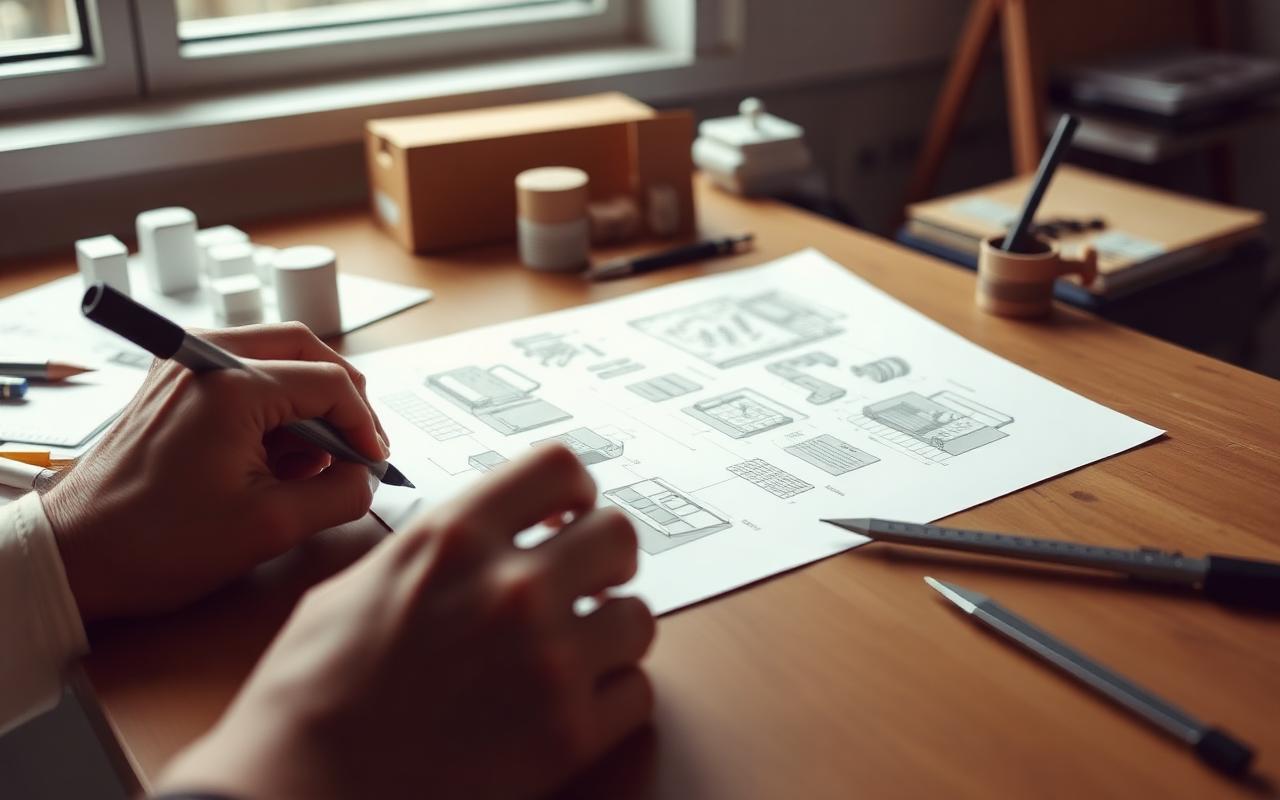
Choose the best ideas from the idea step. Then, make them better. This step means fixing early ideas. Think about the Elements and Principles of Design. Make rough sketches. Or, create visual pictures of the concepts. You must think about looks and how things work. Also, consider if it can be done. And meet user needs during this stage.

Evaluation and selection
Look at the strong and weak points of your concepts. Use set rules to do this. Consider user needs and if it can be built. Also, think about market potential. Based on this review, pick the best concept or concepts. You will then make these even better.

Prototyping and testing
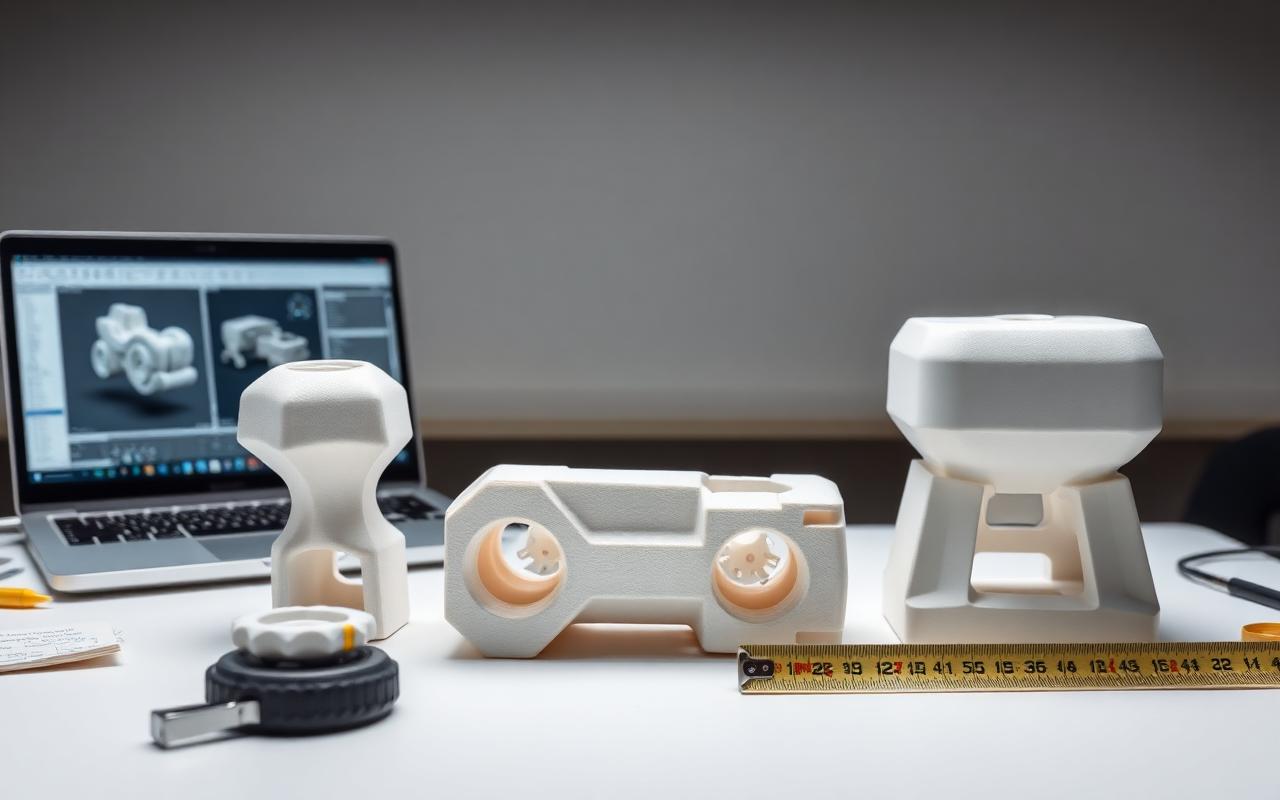
Make physical or digital prototypes. Use these to test how well they work and how easy they are to use. Prototyping helps check if the idea is good. It finds problems early. You can also get useful feedback from users. Then, improve the idea based on what you learn from testing.

Finalize the concept design
Improve the idea based on testing and feedback. Then, finish the concept design. This step makes detailed sketches, renderings, or CAD models. These models accurately show the final idea. They include its shape, how it works, materials, and colors.

Presentation and documentation
Show the final concept design to stakeholders, clients, or team members. Highlight the problem and the design process. Explain why this concept was chosen. Create full documents. These include sketches, renderings, and technical details. This helps move smoothly to the next steps. These steps are detailed design and manufacturing.

This design process helps designers. It lets them manage the difficult task. They can create, grow, and improve new ideas. These ideas can be for products, services, or solutions.
This step-by-step method helps designers make new concepts. These concepts focus on users. They are ready for the market. They fix the problem or meet the need. These concepts can do well as new products are built.
Design Tools and Techniques
Design tools are very important. They help designers in the concept stage. Designers can share ideas better. They can also see and improve their ideas. These tools help teams work together. They also help designers test and change things often.
Here are some common design tools and methods for concept design:
- 01Sketching
Hand-drawn sketches are key for seeing ideas quickly. They help explore new design paths. They also let you share concepts with others. Sketching helps designers think visually. They can try ideas fast. They can also make ideas better before using more complex tools.
- 02Digital illustration & drawing software
Tools like Adobe Illustrator, CorelDRAW, and Affinity Designer help designers. They create clean, detailed art. They also make vector graphics and layouts for their designs. These programs offer strong features. They give fine control over design parts.
- 033D modeling and CAD software
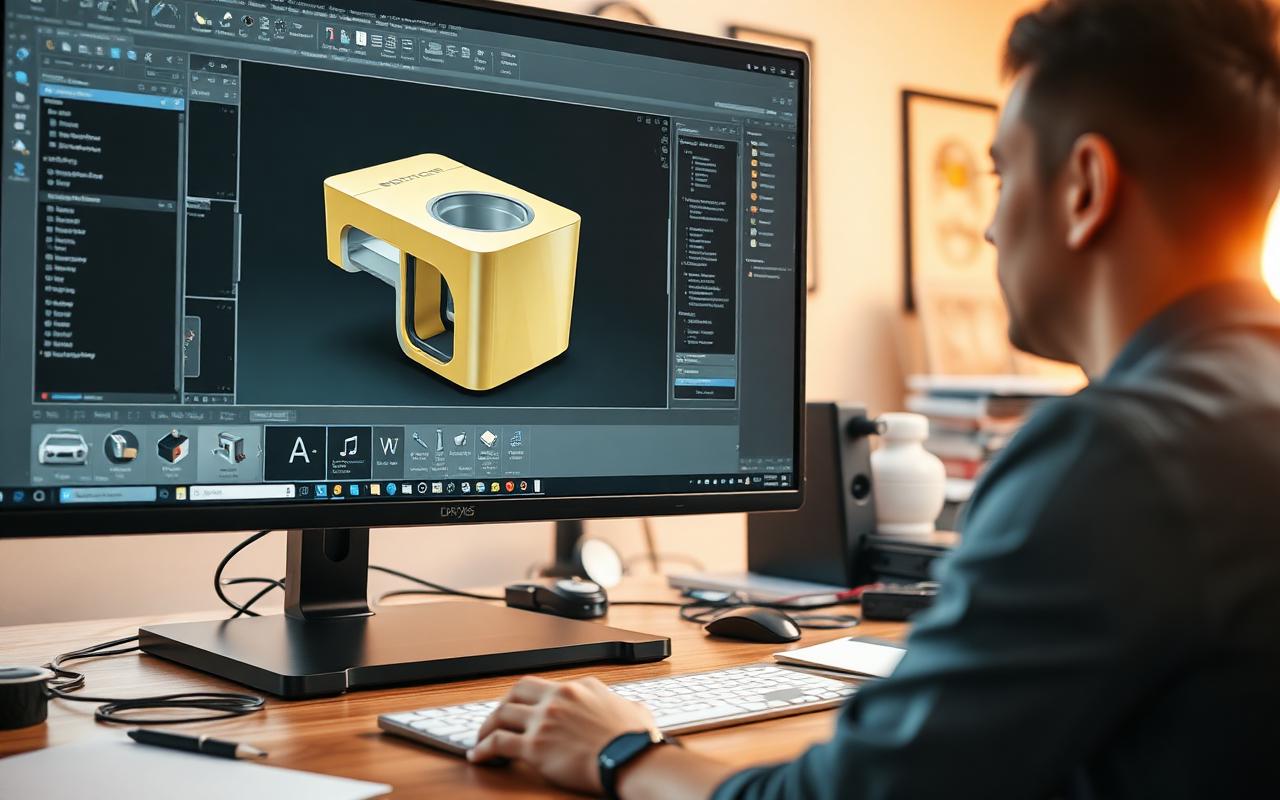
Programs like Autodesk Fusion 360, SolidWorks, Rhino, or SketchUp help designers. They make detailed 3D models of ideas. Designers can use these models for prototypes. They can also use them for tests or for showing ideas. These tools help designers see how their ideas look. They help them understand how things work and fit together. They also help find problems early.
- 04Image editing software
Tools like Adobe Photoshop or Affinity Photo help designers. They can edit pictures or drawings of their ideas. They can also change and improve them. Designers use these programs to make strong visual shows. They also use them to improve how their ideas look.
- 05Mood boards and inspiration boards
Gathering and sorting visual items helps designers. These include pictures, colors, and textures. This helps them find the look for their design. Designers can make mood boards. They can be real boards. Or they can be digital, using tools like Pinterest or Adobe Creative Cloud Libraries.
- 06Brainstorming techniques
Mind mapping, SCAMPER, and the 6-3-5 method help you think creatively. They help make many new ideas. This happens during the first idea stage of concept design. You can use these methods alone. Or, a team can use them together. This gets the most different ideas.
- 07Prototyping Tools
Tools like 3D printers and CNC machines make physical models. Designers use them to build real models of their ideas. They can then test these models. Digital tools also help. InVision, Adobe XD, or Figma are examples. You can make interactive prototypes with them. These are used for user testing and feedback.
- 08Presentation Software
Tools like Microsoft PowerPoint, Apple Keynote, or Google Slides help designers. They create good-looking presentations. These presentations show their concept designs. They share them with stakeholders, clients, or team members. These tools let designers clearly share their ideas. They also show their design steps. They explain why they picked certain concepts.
- 09Collaboration & project management tools
Platforms like Realizr.Today, Trello, Asana, or Slack help with work. They make talking, working together, and project tasks easier. This happens during the whole concept design process. These tools let designers share ideas. They share files and feedback with team members or clients. Everyone stays on the same page. Everyone knows the project's progress.
By leveraging these design tools and techniques, designers can effectively navigate the concept design process, from ideation and visualization to evaluation, prototyping, and presentation.
These tools and techniques support creativity, iteration, and collaboration, helping designers bring their innovative ideas to life and ultimately create successful, user-centric, and market-ready products or services.
Examples and Case Studies
Apple IpodThe first Apple iPod changed music players. Its design idea was new. The iPod was sleek and small. It had an easy-to-use interface. A new scroll wheel helped users move around. The design focused on simple use and good looks. This made the product famous for portable music. It truly changed the industry.
AirbnbThe idea for Airbnb solved a problem. Hotels were few and costly during big events. Founders Brian Chesky and Joe Gebbia had an idea. They wanted to create a place for people to rent out spare rooms. Or they could rent out whole homes to travelers. This new design idea grew into a global platform. It changed how people travel. It also changed how they find places to stay.
LeiaAn innovative project aimed to revolutionize feminine hygiene by creating a comfortable, eco-friendly, and cost-effective menstrual cup as an alternative to traditional products like tampons and pads.
The project focused on user-centric design and sustainability, responding to the demand for practical menstrual hygiene solutions. A menstrual cup caters directly to women’s needs, offering a sustainable and convenient solution.
The project went beyond providing a physical product; it aimed to reshape perceptions, advocate for women’s health, and promote responsible consumption. The menstrual cup was designed to be easy to use, comfortable, and durable, reducing waste from disposable products.
The project also encouraged open discussions about menstrual health to address social stigma.
By making menstrual cups accessible, it aimed to provide a healthier, more comfortable, and environmentally-friendly alternative to traditional products, impacting both individual lives and the environment.
- Stir-n-Go
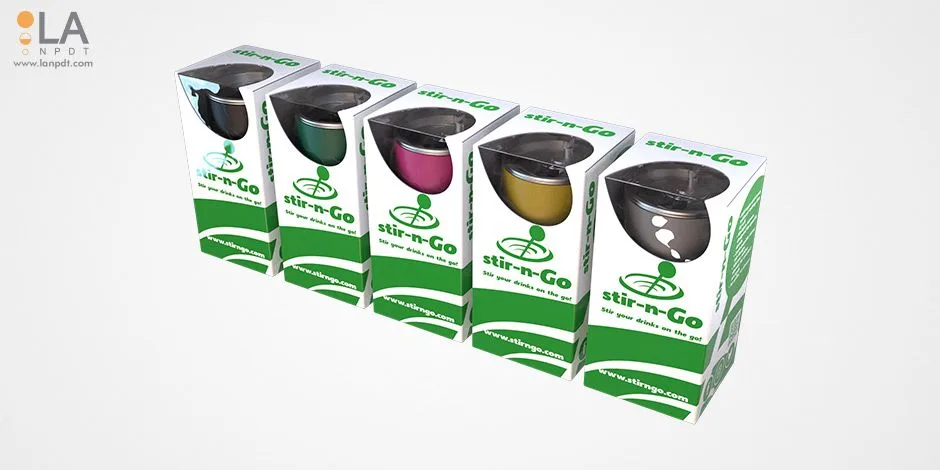
Dr. Bob Cunningham partnered with LA NPDT to develop the Stir-n-Go, a unique coffee cup designed to address challenges related to stirring drinks effectively in thermoses and reducing waste from plastic straws and spoons.
The team faced several challenges, including creating an industrial concept design for the reusable cup, designing a packaging prototype that showcased the product’s features, and gathering customer feedback.
LA NPDT designed various lid and stirrer concepts before selecting the most appropriate one, and using rapid prototype development methods, they built prototypes and conducted consumer surveys.
The designers created a visually appealing box packaging mockup, and the team delivered a pre-production prototype of the cup and packaging, ready for manufacturing.
After launching a website and creating marketing materials, Dr. Cunningham decided to move to the production stage, receiving positive feedback from potential end-users. LA NPDT began manufacturing a small batch of units, confident that the Stir n Go would meet customer needs.
In-depth Analysis of a Concept Design – Dyson Vacuum Cleaners
Dyson vacuum cleaners, founded by James Dyson in 1993, are an excellent example of innovative concept design driven by a user-centric approach to problem-solving. The company has redefined the vacuum cleaner industry with its bagless, cyclonic technology, which maintains consistent suction and efficiency.
This case study will analyze the development of Dyson’s concept design, focusing on the design process, problem-solving approach, and the impact of its innovative design on the market.

Problem Identification
Traditional vacuum cleaners relied on bags to collect dust and debris.
However, as the bags filled up, the vacuum cleaners often experienced a significant loss of suction, resulting in inefficient cleaning performance.
James Dyson identified this problem and aimed to create a vacuum cleaner that could maintain consistent suction and eliminate the need for bags.
Research and Analysis
Dyson conducted extensive research on the shortcomings of existing vacuum cleaners and their filtration mechanisms.
He studied the cyclone technology used in sawmills to separate dust from the air and realized that a similar approach could be applied to vacuum cleaners.
This insight formed the basis of Dyson’s concept design.
Concept Development
Dyson vacuum cleaners used a new idea. This was cyclonic separation technology. It spun dust and dirt from the air. This meant no bags were needed. The vacuum kept strong suction as you cleaned.
Dyson made many test models. He improved the design again and again. This made sure it worked well. It fixed the lost suction problem in old vacuum cleaners.
Finalizing the Concept Design and Market Impact
Dyson built over 5,000 test models. He did this to test and improve his new idea. It was for his bagless, cyclonic vacuum cleaner.
This took a lot of trying and fixing. Dyson faced many tough engineering problems. He made the design better for power and long life. He also made it easy to use.
This way of testing made sure the final design worked well. It also made it user-friendly.
Dyson finished his new design. Then he launched the first Dyson vacuum cleaner. It was the DC01. It came out in the UK in 1993.
The product quickly became popular. People liked its new design and great power. It offered something unique.
Over time, Dyson made more products. They added different vacuum models. They also made other home items. These included air purifiers, fans, and hairdryers.
Dyson vacuum cleaners did well for a few reasons. The company focused on new design ideas. They solved problems. They also put the user first.
Dyson’s vacuum cleaners changed the vacuum market. They made other companies create new things. They had to use new tech to stay in business.
Dyson keeps making things better. They keep making new things. This has made the brand a leader in home items.

The development of Dyson vacuum cleaners serves as a prime example of the power of innovative concept design in addressing user needs and solving real-world problems.
Dyson’s bagless, cyclonic technology revolutionized the vacuum cleaner industry, proving that a well-executed design process and a strong focus on user-centric design principles can lead to significant market success and lasting impact.
Expert Opinions and Quotes
Concept design plays a crucial role in the product development process, as it lays the foundation for successful, innovative, and user-centric solutions. Many experts in the field of design and innovation have shared their insights and opinions on the importance of concept design.
Here are some notable quotes from industry leaders:
“Design is not just what it looks like and feels like. Design is how it works.”
— Steve Jobs, Co-founder of Apple Inc.
This quote emphasizes the importance of functionality and usability in concept design, in addition to aesthetics, highlighting the need for a well-rounded approach to product development.
“You can't just ask customers what they want and then try to give that to them. By the time you get it built, they'll want something new.”
— Steve Jobs, Co-founder of Apple Inc.
This quote suggests that designers should not solely rely on user input but also anticipate future needs and preferences during the concept design phase to create products that remain relevant and valuable over time.
“Design is the silent ambassador of your brand.”
— Paul Rand, Graphic Designer
In this quote, Paul Rand emphasizes the role of concept design in conveying a brand's identity and values, highlighting the importance of considering the broader context and impact of design decisions.
“Good design is making something intelligible and memorable. Great design is making something memorable and meaningful.”
— Dieter Rams, Industrial Designer
Dieter Rams' quote underscores the importance of creating concept designs that not only resonate with users but also provide lasting value, emphasizing the need for a deep understanding of user needs and aspirations.
“Innovation is often the product of constraint.”
— Sir Jonathan Ive, Former Chief Design Officer at Apple Inc.
This quote highlights the role of limitations and challenges in driving innovative concept designs, as designers are often pushed to think outside the box and develop creative solutions to overcome obstacles.
“Simplicity is the ultimate sophistication.”
— Leonardo da Vinci, Artist, and Inventor
Da Vinci's quote reminds us of the power of simplicity in concept design, as intuitive and straightforward solutions are often the most effective and user-friendly.
“Design must reflect the practical and aesthetic in business but above all... good design must primarily serve people.”
— Thomas J. Watson, Former CEO of IBM
Watson's quote emphasizes the importance of putting user needs and preferences at the forefront of concept design, as the ultimate goal is to create products and services that serve people and improve their lives.
These expert opinions and quotes highlight the significance of concept design in the product development process and the importance of adopting a user-centric approach to ensure that the resulting products, services, or solutions are innovative, functional, and impactful.
Additional Resources and Tutorials
- 15 Best Free Graphic Design Software for Beginners 2023
Frequently Asked Questions (FAQs)
What is the difference between concept design and graphic design?+
Concept design starts new ideas and visuals for a project. Graphic design makes pictures and layouts for print or digital media.
How can I improve my concept design skills?+
Practice often. Study design rules. Ask friends or mentors for ideas. Keep up with new design trends and tools.
What is concept design?+
Concept design is the first step in a design job. Here, we create and improve ideas and answers. We fix a problem or use a chance. This means we brainstorm. We sketch. We make quick models. We check different design ideas. This helps us make a good product, service, or fix for users.
Why is concept design important?+
Concept design is key. It builds the base for great products or fixes. It helps find and meet user needs. It lets us try different design paths. It helps us make smart choices for the final design. This makes sure the product meets its goals.
What are the core concepts in concept design?+
Key ideas in concept design include finding problems. They also include research and study. Brainstorming is vital. Showing ideas helps. Making models helps. Testing and repeating steps are also key. These ideas guide designers. They help them make and refine their work.
What are the elements and principles of design in concept design?+
Design elements include line, shape, form, color, and texture. Space and value are also elements. These are the basic parts for making visuals in concept design. Design principles guide us. They include balance, contrast, and emphasis. Movement, pattern, and proportion are also principles. Unity is another one. These rules help designers arrange parts well. They make designs that look good and work.
What tools and techniques are used in concept design?+
Designers use many tools. They sketch ideas. They use digital art software. They use 3D modeling and CAD programs. They use image editing software. Mood boards help. Brainstorming methods are used. Prototyping tools are key. Presentation software also helps. These tools help designers share their ideas. They help them show and refine their work.
How does concept design relate to the design process?+
Concept design is a key part of the design process. It sets the stage for later steps. These steps include detailed design. Prototyping, testing, and production come next. Concept design focuses on making and checking ideas. It makes sure the final design is new and user-focused.
What are some examples of successful concept designs?+
Good concept designs include Apple’s iPod. Dyson vacuum cleaners are another. Tesla’s Model S is an example. Airbnb’s home sharing platform also shows this. Google Glass is another case. These items show the power of smart concept design. They meet user needs. They fix problems. They change markets.
How do I learn more about concept design?+
To learn more, study design theory. Take design classes or workshops. Read books and articles about design. Follow experts and design blogs. Also, practice your design skills. Work on your own projects. Work with other people. This can help you learn more about concept design and how to use it.
Concept Design Videos
- What is the difference between concept design and design for manufacturing?
- Concept Design for Your Product Idea
- How Technical Design Impacts the Success of Your Product Development Process
- Why Product Design Criteria and Constraints are Important in Product Development | LA NPDT
Conclusion
This guide looked at concept design. We covered its key parts, rules, methods, and tools.
You can use these basic ideas for your own projects. This will help you make designs that stand out. Your designs will connect with the people you want to reach. Concept design changes all the time. You must keep learning and practicing to do well.
Now you have this knowledge. Go create new things!
Concept design services: scope, deliverables and cost
What you actually receive when you hire a concept design service, phase by phase, with the ranges most projects land in.
| Stage | Deliverable | Typical duration | Cost band |
|---|---|---|---|
| Requirements & research | Requirements list, benchmark study, constraints | 3 – 7 days | $1.5k – $4k |
| Ideation | Sketch sets across several directions | 1 – 2 weeks | $2k – $6k |
| Concept development | 3 – 5 developed concepts with rationale | 1 – 2 weeks | $3k – $10k |
| Feasibility screening | Technical and cost screen, risk list | 3 – 7 days | $2k – $8k |
| Concept CAD & renders | CAD of the selected direction, visualizations | 1 – 2 weeks | $3k – $12k |
Concept design services are the first phase of the wider product development services path. Once a direction is selected, it moves into industrial design services and then into prototype design. Concept design for an SBIR or grant application follows the same path on a compressed, reviewer-facing schedule.
Concept design services: common questions
What do concept design services include?
Concept design services cover requirements definition, research and benchmarking, ideation sketches, three to five developed concept directions, feasibility screening, basic CAD of the chosen direction, and a written rationale for the selection. The output is a decision you can fund, not a mood board.
How much do concept design services cost?
A focused concept phase for a simple product typically runs $5,000 to $15,000. A complex electromechanical or regulated product runs $15,000 to $40,000 because the feasibility work carries more risk to retire.
How long does a concept design phase take?
Two to six weeks for most products. The variable is decision speed on your side, not drawing time: concept reviews that sit for a week each add more calendar than the design work itself.
What is the difference between concept design and industrial design?
Concept design decides what to build and proves it is feasible. Industrial design refines how the chosen direction looks, feels and is used. Concept design comes first and is cheaper to change; industrial design polishes a direction that has already survived feasibility.
Concept design guides
These companion guides answer the questions that come up most often before a concept phase starts: how the work runs, what it costs, what to build first, and what the industrial design stage that follows involves.
What founders say after working with us
“I highly recommend the LA New Product Development Team for any of your new product development needs. From the development of my concept to the actual prototype, the process was seamless. I especially loved the quick responsiveness, and I received regular updates during every stage, so I was never left wondering how things were going. The steps were clearly outlined, along with estimated costs.”

Dr. Sharada DamarajuFounder, Dignity & Empowerment“Collaborating with LA NPDT was pivotal. Their technical prowess transformed our vision into a tangible, life-changing product. Their dedication, professionalism, and expertise have been invaluable — I'd highly recommend them to companies and founders seeking expert guidance and execution for their idea or concept development.”
Aniket Khade, Ph.D.Founder, AtmosPark“LA NPDT played an integral role in the development and visualization of our SAFE Camp concept. Their technical expertise and creative thinking helped us define our vision in a way that was persuasive and compelling. That communication was instrumental in securing a $100,000 grant from Walmart.”
Rob GaudetExecutive Director, Cajun NavyThree reasons why our clients love working with us:
- 1
We solve problems. Coming up with creative solutions focused on achieving your goals is our everyday routine.
- 2
Get it all done at one place. We are a "one-stop shop" for developing, prototyping, manufacturing, and marketing new products.
- 3
You always know what to expect. No hourly charges. We are paid for the results.
If you ever thought of developing a new product, don’t wait any longer. Talk with one of our experts today.
Related insights

Designing for Manufacturability (DFM): Turning Concepts Into Production-Ready Products
Design for Manufacturability (DFM) transforms product concepts into production-ready designs by aligning engineering decisions with real-world manufacturing constraints. By integrating cross-functional collaboration early, DFM reduces cost, improves quality, enhances sustainability, and accelerates time to market.

Concept Design vs Detailed Design – Deciding the Right Time to Transition
The Right Moment to Shift from Concept Design to Detailed Design.

Concept Design for Hardware Products: A Beginner's Guide
What happens before detailed engineering: requirements, architecture, three or more concepts, feasibility testing, and one selected concept with a written rationale.
Tell us about your product
Send us the idea, the drawing or the problem. We reply within one business day with the next practical step.
Prefer a scoped estimate? Request a quote